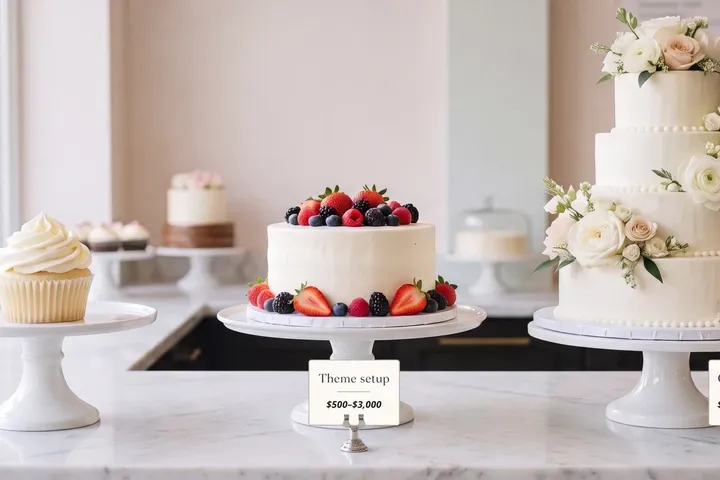

Shopify gives you 24 free themes. Its Theme Store also sells 314 paid ones, from $100 to $500, and most owners on a free theme ask the same question before they spend anything: what does that money actually buy?
This article answers it in six parts, using what Shopify publishes about its own store rather than opinions about which theme looks nicer. By the end you'll know which of the six matter for your store, and what makes a paid theme pay off.
In short
- Free themes are built and maintained by Shopify. They are not old or crippled: all 24 are on current theme architecture, and 10 of them are the newer Horizon family.
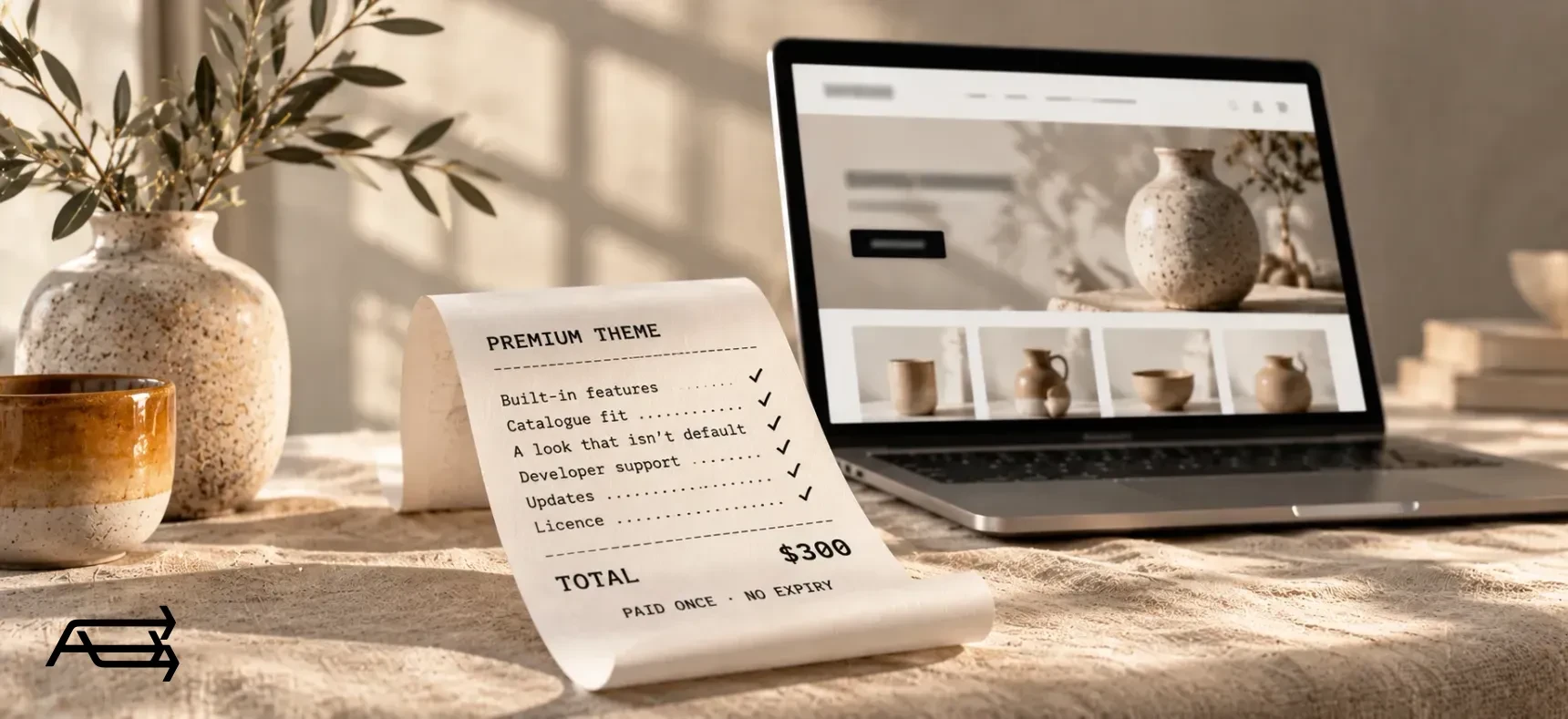
- Paid themes cost $100 to $500, once, for one store. The median is $300. The money buys built-in features, a design made for a bigger or smaller catalogue, a look that isn't the default, direct support from the developer, and a licence with no expiry date.
- Free themes run on a great many stores, so a store left close to the demo looks like many others.
- Either way, the theme is the start. A theme left on its demo settings looks like a demo, and the setup decides how it sells.
How to use this comparison
Set aside about twenty minutes. You need your Shopify admin, your product count and your phone.
Start with what you have. In your admin, open Online Store and note your theme's name, its developer and its version number. That tells you whether Shopify or a third party is responsible for it.
The numbers below come from the Theme Store's own filters, by price, catalogue size and feature, read on 22 September 2026. They move a little over time; the pattern doesn't.
Go through the six sections in order. Each ends with a line telling you when it's worth paying for. Mark it yes, no or not sure, and the rule further down turns your answers into a decision.
What the free themes give you now
All 24 free themes are made by Shopify. Ten of them are the Horizon family, which Shopify released in May 2025: Horizon, Atelier, Heritage, Vessel, Ritual, Savor, Fabric, Pitch, Dwell and Tinker. These are built on theme blocks, which Shopify describes as the latest theme architecture version. The other fourteen, Dawn among them, are Online Store 2.0 themes: sections on every page, apps installed without touching code.
Shopify keeps them current. Dawn was on version 16.0.0, released 10 August 2026, when this was written; Horizon was on 4.2.0, released 18 September 2026. Neither is a starter theme you're expected to grow out of on a schedule. So the six things below are what you are paying for when you decide free isn't enough.
1. Features you would otherwise rent from apps
What free gives you. The basics, and more of them than most people expect. All 24 free themes are tagged for a mega menu and a sticky header; 23 have colour swatches and swatch filters; 13 have a stock counter; 11 have quick view.
What paid adds. The merchandising features that sit outside that core. Of the 314 paid themes, 249 are tagged for a countdown timer, 284 for a stock counter, 280 for breadcrumbs, 206 for a before-and-after image slider and 179 for an age verifier. Among the free themes, the count for countdown timer, breadcrumbs, before-and-after slider, age verifier, back-to-top button and right-to-left support is zero.
Why it matters to a shopper. Each of those answers a question: how long is this offer, how many are left, where am I in the shop, what will this look like on me. Answered inside the page, they cost nothing extra to run. Answered by an app, they arrive as a widget that loads later, with its own styling and its own monthly fee.
Check on your store. List the apps you pay for every month that only add something to a page: badges, timers, size guides, stock counters. Add up what they cost in a year.
Worth paying for when that yearly total is close to the price of a theme, or when a feature you need is one no app does well.
2. A theme built for your catalogue
What free gives you. A range that leans to the middle. Of the 24 free themes, 20 are tagged for catalogues of 11 to 100 products, 3 for catalogues over 500 (Fabric, Trade and Dwell), 1 for a handful of products and none for single-product stores.
What paid adds. Coverage at both ends: of the 314 paid themes, 133 are tagged for catalogues over 500 products, 60 for two to ten, and 21 for one product. The tools a large catalogue needs follow the same pattern. 99 paid themes offer quantity pricing and 74 a quick order list, against 3 and 1 among the free ones.
Why it matters to a shopper. With 800 products, the shopper's problem is finding one thing. With one product, the problem is the opposite: a homepage, a collection page and a product page for a single item makes a store look empty.
Check on your store. In your admin, look at your product count. Over 500, or a single product, and the free list has almost nothing built for you: 3 themes and none, above.
Worth paying for when you sell over 500 products, or one.
3. A look that isn't the default
What free gives you. 24 designs, each of them widely used. Shopify's free themes are the starting point for a large share of new stores, so the layouts are familiar to shoppers, which cuts both ways.
What paid adds. Choice, and rules that protect it. The 314 paid themes are sold as 1,250 listings, because most ship with several ready-made presets: Prestige comes with five, Impulse with four. Shopify also requires that a new theme be "fundamentally different from other themes" on the Theme Store, and that new submissions are not built on or derived from Dawn or Horizon. A paid theme is not a free one with different colours.
Why it matters to a shopper. Shoppers don't recognise Dawn by name. They do notice when a store looks like every other store they left that week.
Check on your store. Open your homepage next to the demo of the free theme you're using. If a stranger couldn't tell which is yours, the theme is doing the talking.
Worth paying for when the look is the product: fashion, jewellery, design, anything where the store is part of what's being sold.
4. Support from the people who wrote the code
What free gives you. Shopify's support for its own themes, within a set list of small changes.
What paid adds. A named developer with an obligation. Theme Store developers must reply to support requests within two business days and keep documentation current. On a paid theme you contact them, not Shopify.
Why it matters to a shopper. It doesn't, directly. It matters on the day something breaks during a sale and you need an answer from someone who knows the code, instead of a forum thread.
Check on your store. Open your theme in the admin and click through to its documentation and support link, then read the last few reviews on its Theme Store page.
Worth paying for when you have no developer and no appetite for one.
One limit worth knowing before you buy: Shopify says third-party theme developers don't provide customisations. Support means the theme works as documented. Setting it up as your store is a separate job, and it's the one we do.
5. Updates, and who is responsible for them
What free gives you. Updates from Shopify, at Shopify's pace, for as long as the theme is in the Theme Store.
What paid adds. Updates from the developer, free of charge. Any theme installed from the Theme Store, free or paid, can have its updated version added to your draft themes for free when one is released, and your theme-editor customisations are copied across. The pace varies by developer rather than by price: when this was written, Prestige had shipped 11.4.1 on 14 September 2026 and Impulse 9.2.0 on 6 July 2026.
Why it matters to a shopper. Themes that stop being updated fall behind Shopify's own features, and the shopper meets that as a checkout or an account page that behaves oddly.
Check on your store. In your admin, click your theme's version number. It either says the theme is up to date or offers the update.
Worth paying for when: updates alone are never the reason. Both sides get updates. It is a reason to buy inside the Theme Store rather than outside it, which is the next point.
A theme bought from a site other than the Shopify Theme Store gets no updates through your admin, and Shopify says it is "strongly recommended that you don't install a theme from any site other than the Shopify Theme Store", because those themes aren't vetted for quality or compatibility. The cheaper theme on a marketplace is usually cheaper for that reason.
6. The licence: one store, one payment, no expiry
What free gives you. Nothing to lose. Add it, try it, remove it. You can hold up to 20 themes in the library on the Basic, Grow and Advanced plans.
What paid adds. One licence, for one store, with no yearly renewal. The Theme Store's own words are "One-time payment, lifetime license for your store. No expiration." But the theme is licensed exclusively to the store where the purchase was made, purchases are final sale with no refunds from the developer, and a transfer is only possible if both accounts have the same owner email, you own both, and you are closing the original store. An unlicensed copy can't be customised or published.
Why it matters to a shopper. It doesn't. It matters to you if you run, or plan to run, a second store.
Check on your store. Count the stores you expect to run in two years. Each live one needs its own licence.
Worth paying for when you're committed to this store and plan to keep selling on Shopify.
What they cost today. Of the 314 paid themes, 65 are under $200, 172 are $300 or more, and the median is $300. At the top, Impulse is $500 and Prestige is $400; in the middle, Stiletto and Local are $380 each. Prices read 22 September 2026.
The six at a glance
| # | What the money buys | The check | Worth paying for when |
|---|---|---|---|
| 1 | Built-in features instead of apps | Add up your widget apps' yearly cost | The total nears a theme price |
| 2 | A design for your catalogue size | Filter free themes by your product count | You sell 500+ products, or one |
| 3 | A look that isn't the default | Your homepage next to the theme's demo | The look is part of the product |
| 4 | The developer's own support | Find your theme's support link today | You have no developer |
| 5 | Updates from a named team | Click the version number in your admin | Never on its own, but buy inside the Theme Store |
| 6 | A licence with no expiry | Count the stores you'll run | You're committed to this store |
What the money doesn't buy
Speed, automatically. Every theme in the Theme Store has to reach a minimum average Lighthouse performance score of 60 and an accessibility score of 90 across its home, collection and product pages, on desktop and mobile. That is a floor, not a promise, and it applies to the theme as the developer submitted it, before your images, your apps and your tracking scripts. Paying more does not buy a faster store.
A finished store. A premium theme left on its demo settings looks like a demo. Choosing sections, writing the text and preparing photos is the same work either way.
A fix for what sits behind the shop window. Slow delivery, thin product photos and unclear shipping costs survive a theme change untouched.
Freedom from apps. Reviews, email, loyalty and subscriptions still come from apps. Themes replace widgets, not systems.
The setup, the speed and what sits behind the shop window are the work we do around a theme, in our Store Design & Theme Development and conversion work.
Free or paid? A three-question rule
- Does the free list have a theme built for my catalogue size? If not, that's a reason to pay on its own.
- Am I paying monthly for apps that only decorate a page? If those fees are close to a theme price, a paid theme pays for itself within the year.
- Is how the store looks part of what I sell? If yes, the choice is worth making deliberately, whether or not the other two apply.
None of the three: the theme isn't what's holding the store back; the setup is, and that's where the money should go. One: a premium theme is worth a serious look. Two or three: buy, once, have it set up properly, and keep it for years.
How a paid theme pays off
A paid theme earns its price in the setup, not at checkout in the Theme Store. Theme purchases are final sale, so the order of work matters.
- Write down today's numbers first. Conversion rate, add-to-cart rate, and the phone-to-desktop split from your Shopify analytics.
- Choose against your catalogue and the two or three features you need. Demo photos flatter everything.
- Set it up with your own products on an unpublished copy. Your photos, your longest product title, your thinnest collection. That's where themes break, and your live store doesn't change meanwhile.
- Check it on a phone. Walk from homepage to product to cart.
- Replace the apps the theme makes redundant. That's where the price comes back.
- Publish when it's ready, then watch. Keep the old theme in your library so you can switch back in minutes, and compare your numbers after two weeks.
Switching doesn't touch your data: Shopify says products, collections, menus, pages and blog posts aren't changed when you publish a new theme. What gets rebuilt is everything set inside the theme: sections, settings, wording and any code changes.
Do it yourself, or hand it to us?
What it takes on your own. Choosing among 314 paid themes from demos built to flatter. Learning the new theme's editor. Rebuilding every section, setting and line of wording with your own products and photos, finding the code old apps left behind, and testing on a phone, a tablet and a computer before you publish. It's evenings and weekends, and theme purchases are final sale if the choice turns out wrong.
What we do. We choose the theme against your catalogue and the features you'd otherwise pay apps for, set it up as your store on an unpublished copy, retire the apps it replaces, and publish when it's tested. You keep selling while we build, and the work takes us days. That's our Store Design & Theme Development work.
Questions store owners ask
Are free Shopify themes worse than paid ones?
Not as a rule. All 24 are made by Shopify, kept up to date and built on current architecture. Paid themes win on built-in features, on catalogue extremes and on looking unlike everyone else, and either kind sells only as well as it's set up.
Who sets up a paid Shopify theme?
Not its developer. Shopify says third-party theme developers don't provide customisations: they support the theme as it ships. Setting it up as your store, with your products, photos, wording and apps, is a separate job, and it's the one we do.
Do I pay for a Shopify theme every year?
No. A Theme Store theme is a one-time payment and the licence has no expiry date. Updates to that theme are free for as long as it's in the Theme Store.
Can I use one theme licence on two stores?
No. A theme is licensed to the store that bought it, and each live store needs its own licence. A transfer is only possible if both accounts share the owner email, you own both, and you're closing the original store.
Are paid themes faster than free ones?
There's no evidence either way, and anyone quoting a speed score for "paid themes" as a group is guessing. Shopify requires a minimum average Lighthouse performance score of 60 from every theme in its store, free or paid. What happens after that is down to your images, apps and scripts.
What about cheaper themes sold outside the Shopify Theme Store?
Shopify strongly recommends against installing them: they aren't vetted for quality or compatibility, and they can't be updated through your admin. If you buy outside the Theme Store, updates and support come from that seller alone.
Not sure whether your store needs a paid theme? Get a free Store Audit
Send us your store URL and we'll send your Store Audit the same day: your theme and what it can't do, the apps a premium theme would replace, and your store on a phone, a tablet and a computer. It's free.