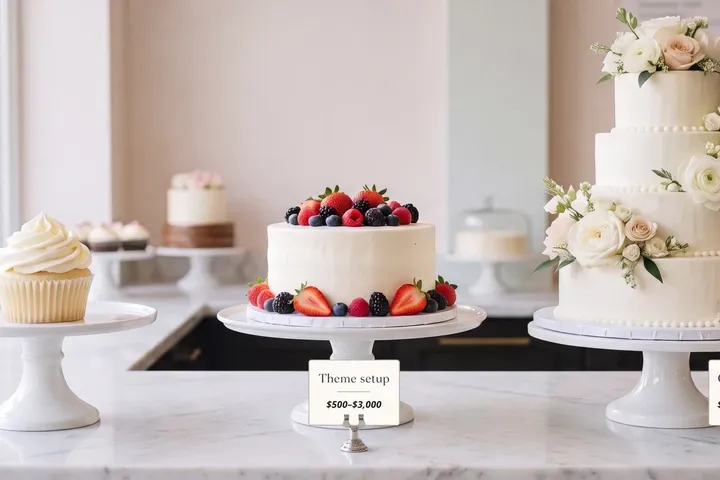
Some owners buy a paid Shopify theme, live with it for a few months, and regret the purchase. The theme usually worked. What went wrong was the gap between what they expected it to do on its own and the setup it needed to earn its price.
This article goes through the six expectations behind most of that regret and what a paid theme can buy. Then it shows how to try one and set it up so the money is spent once and pays off. If you've already bought, the decision section covers what to fix before you think about switching back.
In short
- A paid theme doesn't buy speed. Every Theme Store theme has to meet the same minimum performance score, free or paid, and your apps and images decide the rest.
- It doesn't buy a unique look either, unless someone sets it up properly. Theme developers don't do that part: Shopify says they don't provide customisations.
- Theme purchases are final sale, so the theme is chosen against your catalogue and set up before it goes live, not after.
- A paid theme pays off when its features replace apps or developer time you'd otherwise pay for, and when it's set up for your store. Regret usually starts when one of the two is missing.
How to use this article
Give it fifteen minutes. It works for two readers.
If you're about to buy, go through the six expectations and mark the ones you hold. Each section ends with how to avoid that particular regret, and the steps further down show how to choose and set one up so you pay once.
If you've already bought and you're unhappy, read the section on making the paid theme work. It covers what to fix first, and what switching back would cost you.
The question owners ask
On Shopify Community in August 2026, an owner whose store ranked well and sold on Dawn asked "what am I actually gaining by moving to a paid theme?" and added, "I don't want to jeopardize something that's already working well". One of the replies summed up the answer in a line: "What a paid theme actually sells you is usually time, not conversion."
Time is what a paid theme saves when it's set up properly: features you don't have to add with apps, layouts you don't have to pay a developer to build. The purchase needs a reason, and this article helps you find yours.
Six expectations behind most regret
Each one has the same four parts: the expectation, what happens, why, and how to avoid it.
1. "It will make my store faster"
What happens. The new theme goes live, and the store is no faster, sometimes slower.
Why. Shopify sets one floor for every theme in its store. Each must reach a "minimum average Lighthouse performance score of 60" across the home, collection and product pages, on desktop and mobile, as the developer submitted it. Paid themes meet the same floor as free ones. After that, your photos, your apps and your tracking scripts decide how fast the store feels. A theme with many built-in features can also carry more code than a simple one, and each app that shows something on the page adds its own code on top. That's why two stores on the same paid theme can load at very different speeds.
How to avoid it. Treat speed as part of the setup. Our article on why Shopify stores slow down covers the usual causes, and none of them is fixed by buying a theme.
2. "It will make my store look different"
What happens. The store looks like the theme's demo, and a little like other stores on the same theme.
Why. Popular paid themes are used by many stores, and most ship with a few ready-made presets. Put your photos into the demo layout and keep the demo settings, and the store still looks like the demo.
How to avoid it. Budget time, or help, for the setup: photos shot to one style, and sections chosen for what you sell. The look comes from those choices.
3. "It will do everything I need"
What happens. The theme has dozens of features. You use four, and still pay for two apps.
Why. A long feature list sells themes. But features only help if they replace something: an app with a monthly fee, or a developer's time. Features you never switch on add nothing, and a long settings panel can make simple changes harder to find.
How to avoid it. Before buying, write down the three or four things you need that your current theme can't do, and check the new theme does exactly those. Our comparison of free and premium themes shows which features free themes lack.
4. "The theme developer will set it up for me"
What happens. You email the developer to change a layout and get a link to the documentation.
Why. Theme developers support their themes. Setting up your store is a different job, and Shopify's help page says "Third-party theme developers don't provide customizations". Support means the theme works as documented. Changing how it works for you is a separate job.
How to avoid it. Plan who does the setup before you buy. It's the part that decides whether the theme pays off, and it's the part we do.
5. "I can get my money back if it doesn't work out"
What happens. You ask for a refund and learn that theme purchases are final.
Why. Shopify says Theme Store purchases "are considered final sale", and the theme developer can't refund them. The licence also belongs to the store it was bought on.
How to avoid it. Choose against your list, and set the theme up with your own products before it goes live. The steps are below.
6. "Updates will just happen"
What happens. An update arrives, and your customisations don't all come across.
Why. Updates for Theme Store themes are free, and theme editor settings are copied to the new version. But code edits come across only if they don't clash with it. When they do, Shopify shows "Theme added: code edits could not be included" and they have to be copied by hand. A paid theme customised in code carries that cost with every update.
How to avoid it. Customise with the theme's own settings where you can, and keep a written list of any code changes.
What a paid theme can buy
Regret is one side. A paid theme is a good buy in four situations, and in each one you can name what the money replaces.
It replaces apps you pay for every month. By the Theme Store's own filters, counted for our free vs premium comparison on 22 September 2026, 249 of 314 paid themes had a countdown timer and 206 a before-and-after slider. None of the 24 free themes had either. As an example, two widget apps at $10 a month cost $240 a year, which is close to the price of a mid-range paid theme bought once. Count your own apps before you buy.
It fits a catalogue the free themes don't. Very large catalogues need filtering and quick ordering. A single-product store needs a layout that doesn't look empty. Free themes lean to the middle.
The look is part of what you sell. For fashion, jewellery or interiors, a design that doesn't look like every other store can earn its price, if it's set up with care.
You want a named team behind the code. Theme Store developers must "reply to support requests from merchants within two business days" and provide documentation. That support covers the theme working as documented, which matters on the day something breaks during a sale.
If you can't name what the theme would replace, write that down before you shop. It's the list the steps below are built to test.
Five questions before you buy
- When was it last updated? The Theme Store page shows the version. A theme updated recently is being looked after.
- What do recent reviews say about support? Read the last few. An average rating can hide a recent change of owner or pace.
- Does it do the things on your list without code? Check each one in the theme's settings, not its feature list. A feature list can promise more than the settings deliver.
- Does its demo have a catalogue like yours? A theme shown with eight products may struggle with eight hundred.
- Can you change the layout yourself in the editor? If simple changes need code, every change will cost you.
The six at a glance
| # | The expectation | What a paid theme does | How to avoid the regret |
|---|---|---|---|
| 1 | Faster store | Meets the same minimum as free themes | Treat speed as setup: images, apps, scripts |
| 2 | A different look | Looks like its demo until set up | Plan the setup and the photos |
| 3 | Does everything | Helps only where features replace a cost | List the 3–4 things you need first |
| 4 | Developer sets it up | Support only; customising is a separate job | Decide who does the setup before buying |
| 5 | Refund if unhappy | Final sale | Choose and set up before it goes live |
| 6 | Painless updates | Code edits may need redoing | Use settings over code; keep a list |
Already bought? Make the paid theme work first
If you've already bought and you're unhappy, count the yeses:
- Do you use more than two features the free themes don't have?
- Did the paid theme let you cancel at least one monthly app?
- Is your catalogue very large or very small, where free themes are thin?
- Is the look of the store part of what you sell, such as fashion, jewellery or design?
None. The theme isn't earning its price yet. Before you think about switching, go through its settings against the four questions. A feature you haven't switched on may replace an app you pay for, and if you're unsure how one works, the theme's support has to reply within two business days. Switching back has costs of its own, set out below.
One or two. Don't switch yet. The theme is probably fine and under-used. Set it up properly first: photos, sections, the features you paid for. Then compare it with your old theme on your phone, page by page.
Three or four. Keep it. The theme already does what your store needs, and the fix is in the setup.
What switching back costs. The money paid for the theme stays spent, since purchases are final. The setup work goes too: sections, wording and any code changes made to the paid theme have to be set up again in the free one. If you added apps to cover features the free theme lacks, their monthly fees come back. Add those up before deciding. Sometimes the cheaper path is proper setup on the theme you already own.
When a theme won't fix it
If the store has visitors and few sales, the cause is rarely the theme's price tag. Product pages, photos, shipping costs and trust signals do more of that work, and our article on traffic without sales covers where orders get lost. A $400 theme and a free one fail the same way when the product page doesn't answer the shopper's questions.
How to choose and set up a paid theme so you only pay once
- List what you need first. Three or four things your current theme can't do, and the apps you'd like to cancel.
- Choose against that list and your catalogue size. The demo gallery shows every theme at its best.
- Set it up on an unpublished copy. Your live store doesn't change meanwhile.
- Load your own products. Your photos, your longest product name, your emptiest collection. Demo content flatters every theme.
- Replace the apps the theme makes redundant. That's where the price comes back.
- Test on your phone and compare it with your current theme, page by page.
- Publish only when it's ready, and keep the old theme in your library for a few weeks.
Do it yourself, or hand it to us?
What it takes on your own. Choosing among hundreds of paid themes from demos built to flatter, with no refund if the choice is wrong. Learning a new theme's settings, setting up every section with your own products and photos, retiring the apps it replaces, and checking speed on a phone. Anything that needs code is a cost on top of the price.
What we do. We choose the theme against what you sell and the apps you'd like to cancel, buy the licence on your store, and set it up on an unpublished copy while your store keeps selling. A premium theme pays off when it's set up properly and kept fast, and that part is our job. The work takes us days. That's our Store Design & Theme Development work.
Questions store owners ask
Are paid Shopify themes worth it?
When their features replace monthly apps or developer time, or when your catalogue or brand needs something the free themes don't do, and the theme is set up for your store. Bought for speed alone, or left looking like its demo, it won't pay off.
Can I get a refund on a Shopify theme?
Usually not. Shopify treats Theme Store purchases as final sale, and theme developers can't issue refunds. Choose against your catalogue, and have the theme set up before it goes live.
Is a paid theme faster than Dawn?
Not because it's paid. All Theme Store themes must meet the same minimum performance score. Your apps, images and scripts make more difference than the theme's price.
Can I go back to Dawn after buying a paid theme?
Yes. Add Dawn or another free theme, set it up as a draft, and publish it. Your products and pages stay. Your layout, wording and any code changes need setting up again, and the money paid for the theme isn't refunded.
Will the theme developer customise my store?
No. Theme developers support their theme, but Shopify says they don't provide customisations. Setting it up as your store is a separate job, and it's the one we do.
How long does it take to set up a paid theme?
It depends on the catalogue and the apps. Setting up a well-built theme with your products and brand takes days, and your store stays live on its current theme the whole time.
Not sure a paid theme is worth it for your store? Get a free Store Audit
Send us your store URL and we'll send your Store Audit the same day: your theme and what it can't do, the apps a premium theme would replace, and your store on a phone, a tablet and a computer. It's free.