
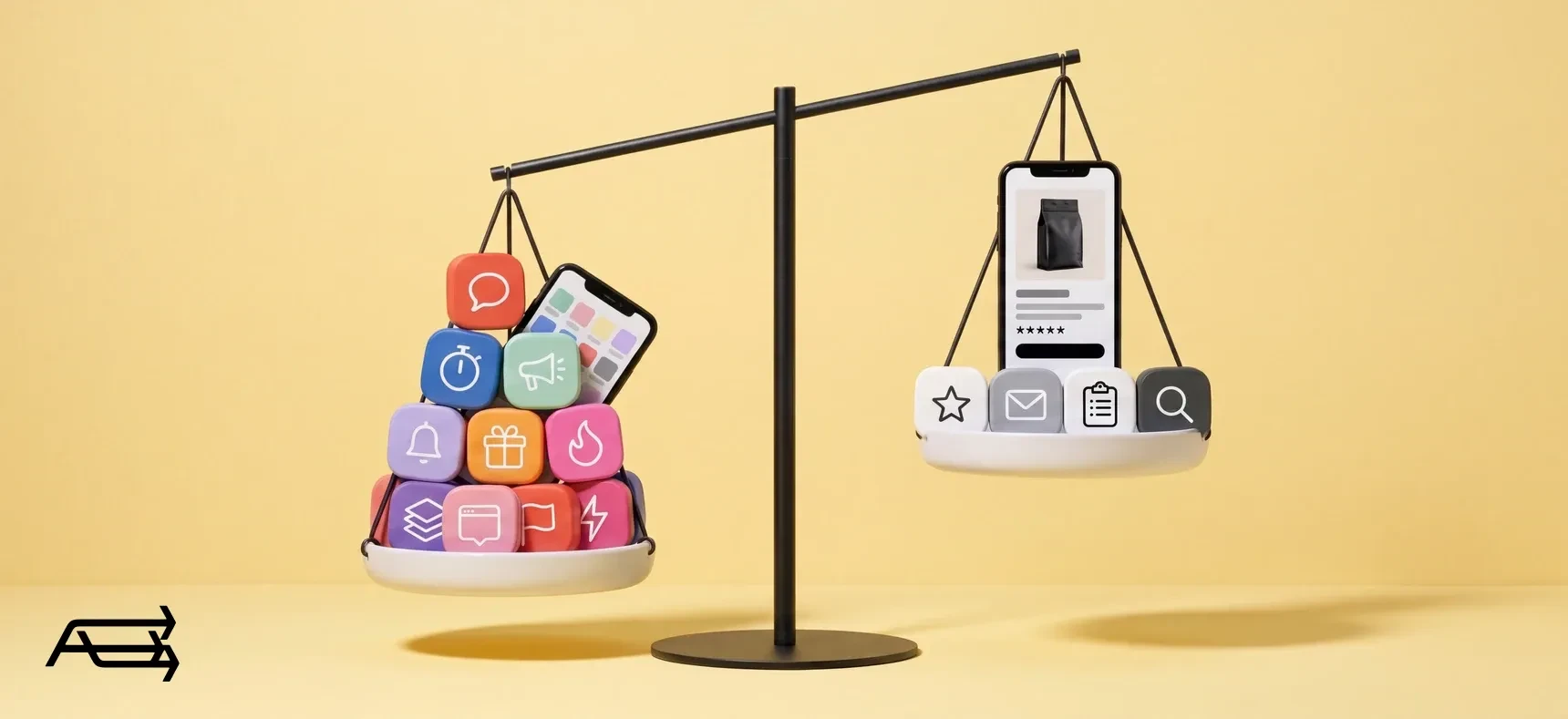
The App Store makes every app look like one more sale. A small store needs fewer than it suggests, and every app that shows something on your pages is code your customers load before they can buy. This guide covers which apps earn their place, which ones Shopify already gives you for free, and how to find the ones slowing your store down.
In short
- A small store needs four kinds of apps: reviews, email, one sign-up form and search filters. Shopify makes free versions of three of them.
- Currency conversion, translation, cookie banners and chat are built in or free from Shopify. Page builders and urgency pop-ups are rarely needed on a modern theme.
- Apps slow a store through the code they add to your pages, and uninstalling an app doesn't always remove that code.
- Shopify's web performance report marks each app install on its chart, so you can see what changed after it. The audit below takes about an hour.
How to use this article
Set aside an hour. You need a laptop, your Shopify admin and a list, on paper or in a spreadsheet.
Start with the list, not the store. In your admin, go to Settings > Apps. Write down every app, what it does and what it costs each month.
Then read the nine blocks below. Each covers one kind of app, with the same five parts: what it does, whether a small store needs it, a quick check, what to start with, and what it costs in speed. Mark each app on your list keep, replace or cut.
Finish with the audit. The numbered steps near the end show how to measure your store in Shopify's own report, remove what you don't need and check that nothing was left behind.
How apps slow a store
Shopify names three main influences on a store's speed: the theme, the installed apps, and third-party code added by hand (Shopify Help). Apps reach your pages in three ways.
App blocks and app embeds. This is the current way. An app block sits where you put it in the theme editor, like a star rating under the price. An app embed floats over the page, like a chat bubble, or adds code your customers never see (Shopify Help). Shopify tells app makers to use embeds so their scripts load only on the pages that need them (shopify.dev). Blocks added this way are removed from your theme automatically when you uninstall the app (shopify.dev).
Code pasted into the theme. This is the older way, and the one that lingers. Some apps write code straight into your theme files, and Shopify says plainly that some of it "isn't automatically removed when you uninstall the app". That code keeps loading for an app you no longer use or pay for. On a vintage theme, this is how apps usually get in, because vintage themes need code edits to add them (Shopify Help).
Script tags. An older method that tells Shopify to add an app's script to your storefront pages. Shopify has deprecated them. Apps can't create or update script tags from 1 October 2026, and Shopify stops adding them to storefronts on 1 March 2027, according to Shopify's changelog. An app that still uses them has to move to an app embed, which you then switch on in the theme editor. Our article on the 1 March change has the full check.
What it costs. Every script is work for your visitor's phone. Shopify's own guidance says that a poor Interaction to Next Paint (INP, how quickly the page reacts to a tap) most likely means too much JavaScript, from the theme, apps or tag managers. Shopify also sets a limit for apps: an App Store app shouldn't reduce a store's Lighthouse performance score by more than 10 points, and apps with the Built for Shopify badge must not. That limit is per app. Five apps can each stay inside it and still add up.
Not every app touches your storefront. Bulk editors, accounting and inventory tools work inside your admin, and customers never load them. Shopify runs its storefront speed test only "for apps that affect storefronts directly". Those are the ones to watch.
The apps a small store needs
1. Reviews
What it does. Asks customers for a review after their order, then shows star ratings on product pages and product cards.
Does a small store need it? Yes. Stars next to the price answer "is this any good?" at the moment a shopper decides. This is also one job Shopify no longer does itself: its own reviews app "is not currently available" on the App Store.
Check. Open a product page on your phone. Can you see stars under the title without scrolling? Do the product cards in your collections show them?
Start with. Judge.me has a free plan with unlimited reviews, photo and video reviews included (App Store listing). Loox leans on photo and video reviews and has a free plan capped by order volume (App Store listing). Both carry the Built for Shopify badge.
Speed cost. Moderate. The review widget loads on product pages, the stars on collection pages. Keep stars where shoppers decide, and switch off carousels and extra widgets you don't use.
2. Email and SMS
What it does. Sends newsletters, abandoned-checkout reminders and automated series, such as a welcome email for new subscribers.
Does a small store need it? Yes. Email is the one channel you own outright, and an abandoned-checkout reminder works while you sleep.
Check. Is an abandoned-checkout reminder switched on? When did your last newsletter go out?
Start with. Shopify's own app, Shopify Messaging. On the Basic, Grow, Advanced and Plus plans it includes 10,000 free emails a month, and abandoned-checkout automations don't count towards that limit (Shopify Help). When you need finer segments and longer flows, Klaviyo and Omnisend both have free plans for up to 250 contacts (Klaviyo listing, Omnisend listing).
Speed cost. Low. The emails go out from the app's servers, not from your pages. What reaches your storefront is the sign-up forms and any visitor tracking. If you move to a new email app, remove the old one's forms and embeds. Never run two.
3. Sign-up forms and pop-ups
What it does. Collects email addresses and phone numbers, often in exchange for a first-order discount.
Does a small store need it? Yes, one. Without a form, the list doesn't grow.
Check. Count the tools showing forms on your store: the footer form in your theme, a pop-up app, your email app's own forms. More than one pop-up tool is one too many.
Start with. Shopify Forms, free and made by Shopify, adds pop-ups and inline forms that feed straight into your customer list (App Store listing). If your email app has its own forms, use those instead of a separate pop-up app.
Speed cost. Moderate, and on every page. Delay the pop-up, or show it when the visitor moves to leave. Never over the first screen on a phone.
4. Search and filters
What it does. Lets shoppers narrow a collection by price, size, colour or availability, and suggests related products.
Does a small store need it? Yes, once a collection runs past what fits on one or two screens.
Check. Open your main collection on your phone. Can you filter it by the thing customers ask about most, such as size or material?
Start with. Shopify Search & Discovery, free from Shopify. Filters cover availability, category, price, product type, tags and vendor, plus your own filters from product options and metafields (Shopify Help).
Speed cost. Low. The filters you set up in the app are shown by your theme itself, as long as the theme supports them. A third-party search app only earns its place when the catalogue outgrows these. Shopify doesn't show filters on collections of more than 5,000 products, for example.
Useful, not essential
5. Image and SEO helpers
What it does. Compresses and resizes images, writes alt text, and flags SEO problems such as broken links.
Does a small store need it? It helps, but it isn't essential. Shopify already delivers your images in modern formats such as WebP and AVIF when the browser supports them, and optimises them through its content delivery network (Shopify Help). A helper earns its place when you upload large photos straight from a camera, or have hundreds of images with no alt text.
Check. Open five products in your admin. Does every image have alt text? Are the files a few megabytes each?
Start with. TinySEO, known until recently as TinyIMG, compresses images, writes alt text and runs SEO checks. Its free tier covers 50 image optimisations a month (App Store listing).
Speed cost. Close to none for work done on files in your admin. Some of these apps also offer storefront features, such as lazy loading or minified code. Turn those on one at a time and test after each.
The apps a small store usually doesn't need
6. Currency, translation and cookie banner apps
What it does. Shows prices in local currency, translates the store and asks visitors for cookie consent.
Does a small store need it? Usually not as separate apps. With Shopify Payments, Shopify converts prices automatically at the current exchange rate, and customers pay in their own currency (Shopify Help). Shopify's free Translate & Adapt app auto-translates up to two languages (App Store listing). And a cookie banner is built in, under Settings > Customer privacy (Shopify Help).
Check. Look for currency switchers, translation widgets or consent banners that come from third-party apps. Would the built-in versions cover what you use them for?
Start with. Shopify's built-in settings. Keep a third-party app only for something they can't do, and ask whoever advises you on privacy law before you swap a consent tool.
Speed cost. On every page, for every visitor.
7. Live chat
What it does. A chat bubble in the corner of every page.
Does a small store need it? Only if someone will answer quickly. A chat nobody answers does more harm than no chat at all.
Check. How many chats came in last month, and how long did each one wait for a reply?
Start with. Shopify Inbox, free from Shopify (App Store listing). For many small stores, a clear contact page and a fast email reply do the same job.
Speed cost. On every page. A chat bubble is an embed, and it loads for every visitor whether they chat or not.
8. Page builders
What it does. Drag-and-drop layouts for landing pages, product pages or the whole store.
Does a small store need it? Rarely, on a modern theme. Online Store 2.0 themes already let you add sections to every page and install apps without touching code (Shopify Help). A page builder repeats what the theme can do.
Check. In the theme editor, open a product page and look for an Add section button. If it's there, your theme can already build the page you want.
Start with. Your theme's own sections. If your theme is too old to have them, a new theme usually serves you better than a builder layered on top.
Speed cost. Often high on the pages it builds, because the builder's code sits on top of the theme's. And removing it later means rebuilding those pages.
9. Urgency and sales pop-ups
What it does. Countdown timers, "someone in Leeds just bought this" notices, low-stock counters, spin-to-win wheels.
Does a small store need it? Usually not. Each one puts another layer between the shopper and the product. And when a timer resets on the next visit, shoppers notice.
Check. Open a product page on your phone. Count everything that moves, pops up or counts down before you reach the buy button.
Start with. Real reasons to buy now: a genuine sale end date in your theme's announcement bar, and stock levels only when they're true.
Speed cost. On every page, often with several scripts each. Anything that pushes content down as it appears also hurts layout stability, which Google measures as Cumulative Layout Shift (CLS).
The nine at a glance
| # | App type | Does a small store need it? | Start with | Speed cost |
|---|---|---|---|---|
| 1 | Reviews | Yes | Judge.me or Loox | Product and collection pages |
| 2 | Email and SMS | Yes | Shopify Messaging | Low: forms and tracking only |
| 3 | Sign-up forms | Yes, one | Shopify Forms, or your email app's forms | Every page |
| 4 | Search and filters | Yes, beyond a screen or two of products | Shopify Search & Discovery | Low |
| 5 | Image and SEO helpers | Useful, not essential | TinySEO | Close to none |
| 6 | Currency, translation, cookies | Usually built in | Shopify's own settings | Every page |
| 7 | Live chat | Only if someone answers | Shopify Inbox | Every page |
| 8 | Page builders | Rarely | Your theme's sections | Often high |
| 9 | Urgency pop-ups | Usually not | Your announcement bar | Every page |
Keep, replace or cut?
Go down your list and ask three questions about each app.
- Would you install it again today? If you can't say what it earned or saved you last month, the answer is no.
- Does Shopify already do it? Email, forms, filters, chat, fixed bundles (Shopify Bundles is free), currency, translation and cookie consent all have free or built-in Shopify versions.
- Does it load where it isn't used? A size chart on the homepage, a reviews carousel in the cart.
Then:
- Yes to the first, no to the other two: keep it.
- Shopify already does it: replace it with Shopify's version, then uninstall the app.
- No to the first question: cut it.
- It loads where it isn't used: keep it only if you can limit it to the pages that need it.
- Two apps doing one job, such as two review apps or two pop-up tools: keep one.
How to audit your apps in an hour
- List every app. Go to Settings > Apps. For each app, note what it does, then its plan and charges from the app's billing section (Shopify Help). Shopify also groups apps that haven't used some of their permissions in the last 30 days under Unused access. Treat that as a reason to look closer, not proof an app is idle.
- Open Shopify's web performance report. A summary sits at the top of Online Store > Themes. The full reports are under Analytics > Reports. They show three measures from real visits: Largest Contentful Paint (LCP, loading), INP (response to taps) and CLS (layout shifts). Good means LCP up to 2.5 seconds, INP up to 200 milliseconds and CLS up to 0.1, at the 75th percentile (Shopify Help). You need the Reports permission, and the store must be out of private mode.
- Look for the markers. The over-time reports draw numbered vertical lines for changes such as app installs, theme updates and new code. Hover over each one. If a measure got worse after an app went in, that app is your first suspect. The data can lag by up to 36 hours and goes back 90 days.
- Test a product page and a collection page. Run both through Google's PageSpeed Insights, which shows real-user data from the last 28 days next to a lab test. In the lab results, the "3rd parties" section groups the code on the page by the company it comes from. Write down any names you don't recognise. These two page types carry the most weight when Shopify tests an app: 40% for product pages and 43% for collections (shopify.dev).
- Check your app embeds. In the theme editor, click the App embeds icon in the sidebar (Shopify Help). Switch off embeds for apps you keep but no longer use on the storefront.
- Uninstall what you're cutting. First, check the app's listing for uninstall steps, and export anything you'll want later, such as reviews. Uninstalling stops future charges, but you may still be billed for the current cycle (Shopify Help).
- Look for code left behind. Duplicate your theme first, as Shopify advises before any code edit (Shopify Help). Then open Edit code and search the theme files for the app's name. If you find code for an app that's gone, ask its developer how to remove it, or have it removed by someone who reads theme code. Shopify keeps earlier versions of each edited file, but it can't bring back a deleted one. That's why you duplicate first.
- Check again in two to four weeks. Compare the report with what you saw in step 2. Change one thing at a time, so you know which change made the difference.
When cutting apps won't help
If your list is short and the report still shows a poor LCP, look at the theme and the first screen: large hero images, autoplay video, a slideshow. Shopify lists the theme and code added by hand, such as tracking tags, next to apps as the main influences on speed. An app audit won't touch either. The theme and the first screen are where our Site Speed & Performance work starts, and on a vintage theme the answer is often a new one.
And don't cut an app you need to save a few milliseconds. A store without reviews may load a little faster and sell less. Speed is one reason a store doesn't sell. It's rarely the only one.
Do it yourself, or hand it to us?
What the audit takes on your own. An hour for the list and the report, if the store is simple. Then reading a speed test's third-party section to tell which script belongs to which app, testing each cut on a phone, searching theme files for code old apps left behind, and two to four weeks of data before you know what changed. On a vintage or edited theme, that search means reading theme code line by line.
What we do. We go through every app that loads on your pages, measure what each one costs in speed, cut or replace what isn't earning its place, and clear the code old apps left in the theme. Sometimes a small custom feature replaces a paid app outright. The work takes us days. That's our Site Speed & Performance work, and the app review is part of Custom Development & Apps.
Questions store owners ask
How many apps should a small Shopify store have?
There's no right number, and we'd be wary of anyone who gives you one. What matters is what each app loads, and where. Ten admin-only apps can cost your storefront nothing, while three heavy storefront apps can slow every page. Start with the four needs above and add an app when a real problem appears.
Does uninstalling an app remove its code?
Not always. Blocks and embeds added through Shopify's current app system are removed automatically. Code an app wrote straight into your theme files can stay, and Shopify's own help pages say so. Step 7 of the audit shows how to check.
Does Shopify still have a speed score?
No. In January 2024, Shopify replaced the old speed score with the web performance dashboard, which uses Google's Core Web Vitals from real visits. You'll find it at the top of the Themes page and in Analytics > Reports.
Do I need a speed optimisation app?
Not as a first step. Shopify already serves your images in modern formats through its CDN. An app that promises speed adds code of its own, so test it before and after like any other app. Start by removing what you don't need, then decide.
What changes for script tags in 2027?
From 1 October 2026, apps can no longer create or update script tags. From 1 March 2027, Shopify stops adding them to storefronts. If an app you rely on still uses them, ask the developer when it moves to an app embed, and switch the embed on in the theme editor when it does. Our article on the 1 March change has the full check.
Not sure which of your apps are slowing the store? Get a free Store Audit
Send us your store URL and we'll send your Store Audit the same day: your speed on a phone and a computer, every app that loads on your pages, the app scripts that stop on 1 March, and the old code still in your theme. It's free.