
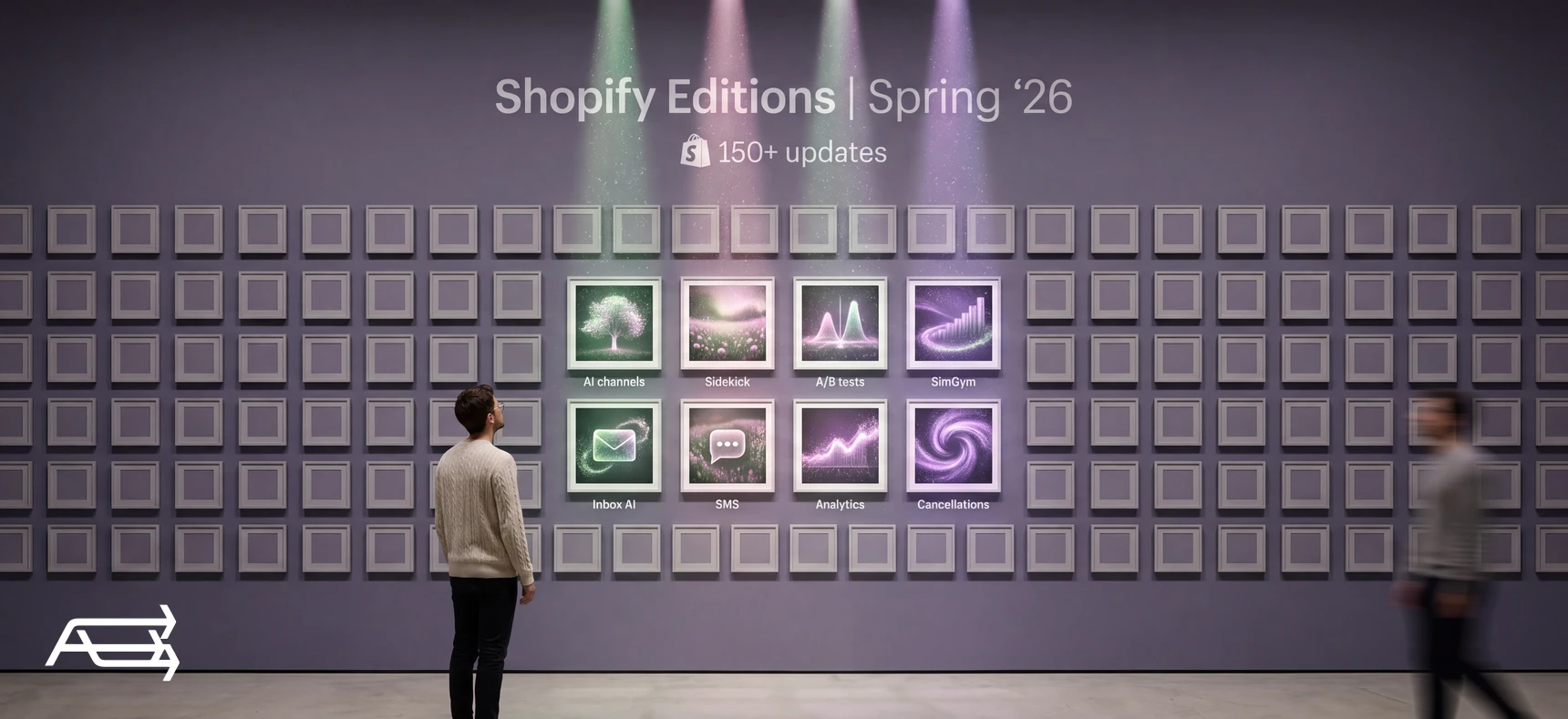
Shopify's Spring '26 Edition went live on 17 June 2026 with more than 150 updates. Most of them are built for AI shopping channels, retail counters, Shopify Plus and developers. A handful change what a small online store can do this week, and this article is about those.
We went through the whole Edition and checked each change against Shopify's own help pages on 18 September
- For each of the eight below you get the same five things: what changed, who it's for, where it stands, what to do this week, and whether to act now or wait. At the end there's a list of what you can safely ignore.
In short
- Shopify's Spring '26 Edition went live on 17 June 2026 with 150+ updates. Most are for Plus, in-person retail and developers.
- Eight matter for a small online store: AI channels, Sidekick, theme A/B tests, SimGym, the Inbox AI agent, SMS automations, analytics targets and insights, and self-serve cancellations.
- Two things to do this week: check which AI channels can see your products, and clean up the product data for your top sellers.
- Some headline features aren't for you yet: A/B experiments need the Grow plan, stacking product discounts needs Plus, and a few AI features switch on only once you have steady order volume.
How to use this article
Set aside thirty minutes and open your Shopify admin on a laptop.
Have three facts at hand. Your plan (Basic, Grow, Advanced or Plus), the country your business is based in, and your average orders per week over the last six months, from Analytics. Several of the changes below depend on one of these three, and it's quicker to know them before you start.
Go through the eight changes in order. Mark each one act now, try this month or skip. The last line of every block gives our verdict, but your three facts decide.
Then read "What to act on now, and what to ignore" and run the one-week plan.
What's in the Spring '26 Edition
Shopify publishes an Edition every six months: one page that lists everything new across the platform. The Spring '26 Edition, filed on that page under the name Everywhere, went live on 17 June 2026 (Shopify News, Shopify changelog). The full list runs to 150+ updates in ten groups: Agentic, Sidekick, Online, Retail, Marketing, Operations, Shop app, Payments, Finance and Developer.
The theme is selling inside AI chats. Shopify's pitch is that a store's products reach ChatGPT, Copilot, Google's AI Mode and the Shop app without extra feeds or apps. A large share of the rest is for in-person retail, Shopify Plus, wholesale, or developers building apps.
We kept the changes that pass three tests: they work for an online store on a standard plan, they're live or rolling out now, and an owner can act on them without a developer.
The 8 changes that matter for a small store
1. Your products in AI chats: agentic storefronts
What changed. A new page in the admin, Sales channels > Agentic, shows which AI channels can reach your products and how they perform. The channels named are ChatGPT, Microsoft Copilot, Google AI Mode and Gemini, Meta and Shop. You can switch each channel's access to your product data on or off, see its sales, orders, sessions and conversion rate, and run a search preview to see how your products might rank for a query (Shopify Help). Behind it sits Shopify Catalog, a structured copy of product data from eligible stores that AI channels read (Shopify Help). Shopify says AI searches powered by Catalog "convert at 2x the rate" of those using scraped data. That's Shopify's own number.
Who it's for. Any store whose products meet Catalog's requirements. The store can't be in private mode, and each product needs a title, at least one image, a price above zero, and to be published to the online store without being unlisted or hidden from search engines. Buying directly inside Copilot is for customers in the United States only (Shopify Help).
Where it stands. Live, and on by default. The default setting, "Allow Shopify to manage for me", keeps every channel active and enrolls you in new ones as they arrive. You can't opt out of Catalog itself, only stop single channels from reading it. Using agentic storefronts also means agreeing to Shopify's supplemental terms for them. And being in Catalog doesn't guarantee a product appears in any AI answer; each channel ranks products its own way.
This week. Open Sales channels > Agentic and note which channels are active. Run the search preview with three phrases a customer would really type, such as "linen shirt for a beach wedding". If your products don't come up, look at the product data first: titles that say what the product is, descriptions with size, material and use, a product category, variant names, and barcodes where you have them. That's close to Shopify's own list, which also asks you to keep store policies complete, because AI agents read them too.
Act now or wait? Act now. It costs nothing, it's already switched on, and better product data also helps your own store search and Google.
2. Sidekick on your Home page and inside your apps
What changed. Sidekick, Shopify's AI assistant in the admin, now meets you on Home with Sidekick Pulse: cards that suggest next steps based on your store's data (Shopify Help). Sidekick app extensions let it answer questions about the apps you use, and act in them. The launch list includes Klaviyo, Mailchimp, Judge.me, Yotpo, Loop, Smile and Printful (Shopify App Store). Sidekick also keeps working in the background when you close the chat, and asks a follow-up question when a request isn't clear.
Who it's for. Owners who open the admin every day and run one or more of the listed apps. Pulse only shows once your store meets requirements that Shopify doesn't spell out. The separate insight cards on Home need an average of at least 10 orders a week over the last six months.
Where it stands. App extensions are live for the listed apps. Pulse is, in Shopify's words, "rolling out gradually", so it may not be in your admin yet. Sidekick shows its changes for your review before applying them (Shopify Help).
This week. Ask Sidekick one question that used to take you three tabs. For example: "How much revenue did my Klaviyo flows bring in last month?" or "Which products have reviews under three stars?" Then check the answer in the app itself, once, before you rely on it.
Act now or wait? Try it this month. Ten minutes is enough to learn whether it saves you time. Don't build a routine on it until the answers check out.
3. A/B tests on your theme and checkout: Rollouts
What changed. Rollouts let you schedule changes to your live theme, checkout and account pages, or run them as an experiment: a changed version against the current one, with results in Shopify's analytics (Shopify Help). You'll find it under Markets > Rollouts. For theme experiments, Shopify reports conversion rate, bounce rate, reached-checkout rate and add-to-cart rate (Shopify Help). Until now, testing a theme change meant a third-party app.
Who it's for. Scheduled launches work on the Basic plan and up. Experiments need the Grow plan or higher. Rollouts don't work on vintage themes, can't change Liquid templates, and don't cover headless checkouts (Shopify Help).
Where it stands. Live.
This week. Start with scheduling, not testing. Build your next sale's homepage change in advance and set it to launch at a fixed time, instead of editing the live theme at midnight. If you're on Grow or higher, pick one experiment with one clear difference, such as a single hero image against your current slideshow. One detail: a rollout launched immediately collects no analytics, so schedule it even if it's for five minutes from now.
Act now or wait? Scheduling: act now. Experiments: only with steady traffic (see "When the new features won't help").
4. AI shoppers test your store: SimGym
What changed. SimGym is a Shopify app that sends AI-simulated shoppers through your store. They browse, add to cart and give feedback on navigation, checkout and layout. You get a summary, strengths, areas to improve and recommendations ordered by likely conversion impact, and you can compare two themes (Shopify Help).
Who it's for. Stores on a Liquid theme (not headless), not in private mode, with at least one product and Shopify Network Intelligence switched on. Shopify notes it works better on stores with real products and content.
Where it stands. An "AI Research Preview". A monthly allowance of simulations is included. After that, each single-theme run costs $0.75 and each theme comparison $1.50, billed to your Shopify invoice.
This week. If you're choosing between two themes, or about to relaunch, run one comparison. Read the output as a list of things to check with real customers, not as a verdict.
Act now or wait? Optional. Useful before a redesign. It doesn't replace watching real visitors use your store.
5. An AI sales associate in Shopify Inbox
What changed. Shopify Inbox, the free chat app, now has an AI agent that answers shoppers on your storefront: product questions, sizing, shipping, returns and order questions. It works from your catalog, store policies, Knowledge Base facts and published pages (Shopify Help). If a shopper is signed in with Shop, it can tailor recommendations to them. You set its tone, and when a person should take over (Shopify News).
Who it's for. Stores that answer the same questions before every sale, and owners who can't reply within minutes.
Where it stands. Live and opt-in. If you already use Inbox, your chats stay with you and your staff until you turn the agent on. The app is free (Shopify App Store).
This week. Before you switch it on, fix what it will read: shipping and returns policies, size guides, care pages. Then ask it the ten questions customers asked you last month, and read every answer.
Act now or wait? Try it this month, once your policies are complete. An agent that reads a vague returns policy gives vague answers.
6. SMS automations in Shopify Messaging
What changed. Shopify Messaging, formerly Shopify Email, now runs SMS automations next to email ones. There are templates to recover abandoned checkouts, abandoned carts and abandoned product browsing by text (Shopify Help). WhatsApp campaigns arrive in the same app.
Who it's for. Stores on Basic, Grow, Advanced or Plus, with Shopify Network Intelligence turned on (Shopify Help). SMS marketing covers the United States, Canada, the UK and a list of EU countries. Australia isn't on Shopify's list as of 18 September 2026. Stores sending in the US and Canada get a toll-free number, and registration takes 2 to 5 business days (Shopify Help). Customers have to opt in to SMS marketing before you can text them.
Where it stands. Live. SMS is paid per message, and Shopify suggests setting a spending threshold.
This week. If you already collect SMS consent, turn on the abandoned-checkout template first. It goes to people who were one step from paying. If you sell in the US or Canada and haven't registered, start the toll-free registration now, so it's ready before the holiday season. If you already pay for a separate SMS app, compare what it does before you move.
Act now or wait? Act now if you have SMS subscribers. If you don't, start collecting consent first.
7. Analytics: targets, daily insights and annotations
What changed. Analytics now has metric targets. You set a goal for a metric such as gross sales or orders over a period, and a gauge tracks your progress (Shopify Help). Daily insights at the top of the analytics overview flag trends up or down and new top-selling segments, up to five a day (Shopify Help). Annotations mark dates on charts where store activity may explain a change (Shopify Help).
Who it's for. Targets: any store. Daily insights: stores that average at least 10 orders a week over the last six months. Shopify's own annotations: stores that average 10 or more orders a week for at least 12 weeks of the last six months, with an order in the last two weeks. Below those lines, you won't see them.
Where it stands. Live. You can't add annotations by hand; they come from store activity or from apps.
This week. Set one target for the rest of the year: orders per month, or gross sales. One number you check every Monday does more than a dashboard you never open.
Act now or wait? Act now on targets. Insights and annotations turn up on their own once your volume qualifies.
8. Customers can ask to cancel before you ship
What changed. Customers can now request to cancel items that haven't shipped yet, from their order status page. A request doesn't change the order by itself. You review and decide on every one (Shopify Help).
Who it's for. Stores that use customer accounts, and any store that gets "please cancel my order" emails.
Where it stands. Live, and off by default. You turn on "Self-serve returns and cancellations" in Settings > Customer accounts.
This week. Turn it on, place a test order and request a cancellation yourself, so you know what the customer sees and what lands in your admin. If you sell subscriptions, note that cancelling an order doesn't cancel the subscription contract. That still needs handling separately.
Act now or wait? Act now. Fewer emails, and every request still goes through you.
The 8 changes at a glance
| # | Change | Where it stands | Who it's for | Verdict |
|---|---|---|---|---|
| 1 | AI channels (Sales channels > Agentic) | Live, on by default | Eligible products, any plan | Act now |
| 2 | Sidekick Pulse and app extensions | Extensions live · Pulse rolling out | Daily admin users | Try this month |
| 3 | Rollouts (Markets > Rollouts) | Live | Launches: Basic and up · Experiments: Grow and up | Schedule now, test with traffic |
| 4 | SimGym | AI Research Preview | Stores on a Liquid theme | Optional |
| 5 | AI agent in Shopify Inbox | Live, opt-in, free app | Stores with repeat questions | Try this month |
| 6 | SMS automations | Live, paid per message | US, CA, UK, listed EU countries | Act now if you have subscribers |
| 7 | Targets, insights, annotations | Live | Targets: any store · the rest: ~10 orders a week | Set one target |
| 8 | Self-serve cancellation requests | Live, off by default | Stores with customer accounts | Act now |
What to act on now, and what to ignore
A change is worth your week if it passes three checks: it's live for your plan and country, you can try it in under an hour, and it moves a number you already watch, such as orders, conversion or support emails.
- Act now: 1, 7 (targets) and 8, plus 6 if you already have SMS subscribers. They're live, free or already paid for, and easy to switch back.
- Try this month: 2, 3 (scheduled launches) and 5. Each needs a little setup and a check of what it actually does. The free Shopify Smart Pricing app belongs here too: it suggests price changes from your own sales, inventory and costs, and you choose which to apply.
- Wait: SimGym, while it's a research preview. Campaign Autopilot, which runs ads and email across Meta, Microsoft Advertising, Shop Campaigns and Shopify Messaging within a budget you set: it's free on paid plans, you pay for the ads, and it's in early access (Shopify blog). And Sidekick Pulse, until it shows up in your admin.
- Ignore unless it's your business:
- Stacking several product discounts on the same item. The Edition lists it, but Shopify's help page says it's for Shopify Plus only (Shopify Help).
- Multi-entity selling and every other item the Edition marks "Exclusive to Shopify Plus".
- Shopify POS and hardware updates, unless you sell in person.
- B2B on standard plans. Basic, Grow and Advanced now get company profiles, quantity price breaks, net payment terms and up to three active B2B catalogs (Shopify Help). Useful only if you sell wholesale.
- Managed Markets for businesses based in the UK and Canada, which lets Shopify handle duties, taxes and compliance abroad. It needs Shopify Payments (Shopify Help). Only for you if you already sell across borders.
- Shop Pay on other platforms and the new Agentic plan. Both are for brands that don't run their store on Shopify.
- Developer items: the Universal Commerce Protocol, Catalog API, Hydrogen and Shopify CLI changes. Your theme developer and app vendors will deal with them.
When the new features won't help
AI channels read your product data. They don't fix it. A product with a two-word title, one photo and no sizes gives an AI assistant little to match a question against, so it's unlikely to be recommended, whatever the default settings. The same goes for price and delivery: an AI assistant compares, and a store that loses on shipping cost loses there too.
A/B tests need visitors. Shopify's help pages give no minimum sample size or run time for experiments. With a few hundred sessions a week, a test on a small change can run for months without a clear answer. At that level of traffic, schedule your changes, compare before and after, and save experiments for big differences.
Sidekick and the Inbox agent are only as good as what they read. And several features that sound like they're for everyone only switch on with volume: insights and annotations need about 10 orders a week. None of this replaces a store that loads fast on a phone, and a theme that isn't vintage. Rollouts won't even run on a vintage theme. Product data, speed and the theme are the work we do, in our Store Design & Theme Development and SEO work.
Your one-week plan
- Check your three facts. Your plan, your country and your average weekly orders over six months. Cross out every change above that doesn't apply to you.
- Open Sales channels > Agentic. Note the active channels. Run the search preview with three real customer phrases, and save the results so you can compare them in a month.
- Fix the product data for your top 10 products. A title that names the product, a description with size, material and use, a product category, variant names, a barcode if you have one, and at least one clear image. Then read your shipping and returns policies as a stranger would.
- Set one analytics target. Monthly orders or gross sales, to the end of the year.
- Turn on self-serve cancellations in Settings > Customer accounts, and test them with your own order.
- Pick one: the Inbox agent or SMS automations. Not both in one week. Set it up, test it, then switch it on.
- Put a date in your calendar 30 days from now. Re-run the search preview and check the AI channel numbers and your target. Keep what moved a number. Switch off what didn't.
Do it yourself, or hand it to us?
What the week takes on your own. Reading eight sets of requirements against your plan, country and order volume. Rewriting titles, descriptions, categories and variant names product by product, which is the slow part. Then setting up and testing each feature, registering for SMS, and checking a month later what moved. On a vintage theme, some of it won't run at all.
What we do. We go through your catalogue and fix the product data AI channels and search read, switch on and test the features that fit your store, and tie them into one set of numbers you can check on a Monday. On a vintage theme, we move you to a current one first. It takes us days. That's our AI & Automation work.
Questions store owners ask
What is a Shopify Edition?
It's Shopify's roundup of product updates, published every six months at shopify.com/editions. Each Edition lists what's new across the admin, checkout, marketing, point of sale and developer tools, with links to the help pages. The Spring '26 Edition went live on 17 June 2026 with 150+ updates.
Is it the Spring '26 or the Summer '26 Edition?
Shopify calls it the Spring '26 Edition, and its Editions page files it under the name Everywhere. Some articles call it "Summer '26", because earlier Editions came out in summer and winter. It's the same release, dated 17 June 2026. Some write-ups also quote a higher number of updates. Shopify's own count is 150+.
Do I need Shopify Plus for these features?
Not for the eight in this article. Two limits are worth knowing: A/B experiments in Rollouts need the Grow plan or higher, and stacking several product discounts on one item is for Plus only.
Are my products already showing up in ChatGPT?
If your store and products meet Shopify Catalog's requirements, they're included automatically, and the AI channels are active by default. Being included doesn't guarantee a product appears in any answer, because each AI channel decides its own ranking. Sales channels > Agentic shows which channels are on and what they've sold.
Do the new AI features cost extra?
Mostly not. Shopify Inbox and the Smart Pricing app are free, and Campaign Autopilot is free on paid plans, though you pay for the ads it runs. SimGym includes a monthly allowance, then charges per simulation. SMS in Shopify Messaging is paid per message.
When is the next Shopify Edition?
Shopify says it publishes an Edition every six months. As of 18 September 2026 its Editions page doesn't show a date for the next one.
Not sure which of these your store should switch on? Get a free Store Audit
Send us your store URL and we'll send your Store Audit the same day: your product data (titles, photos, descriptions), your theme and what it can't do, and your speed on a phone. It's free.