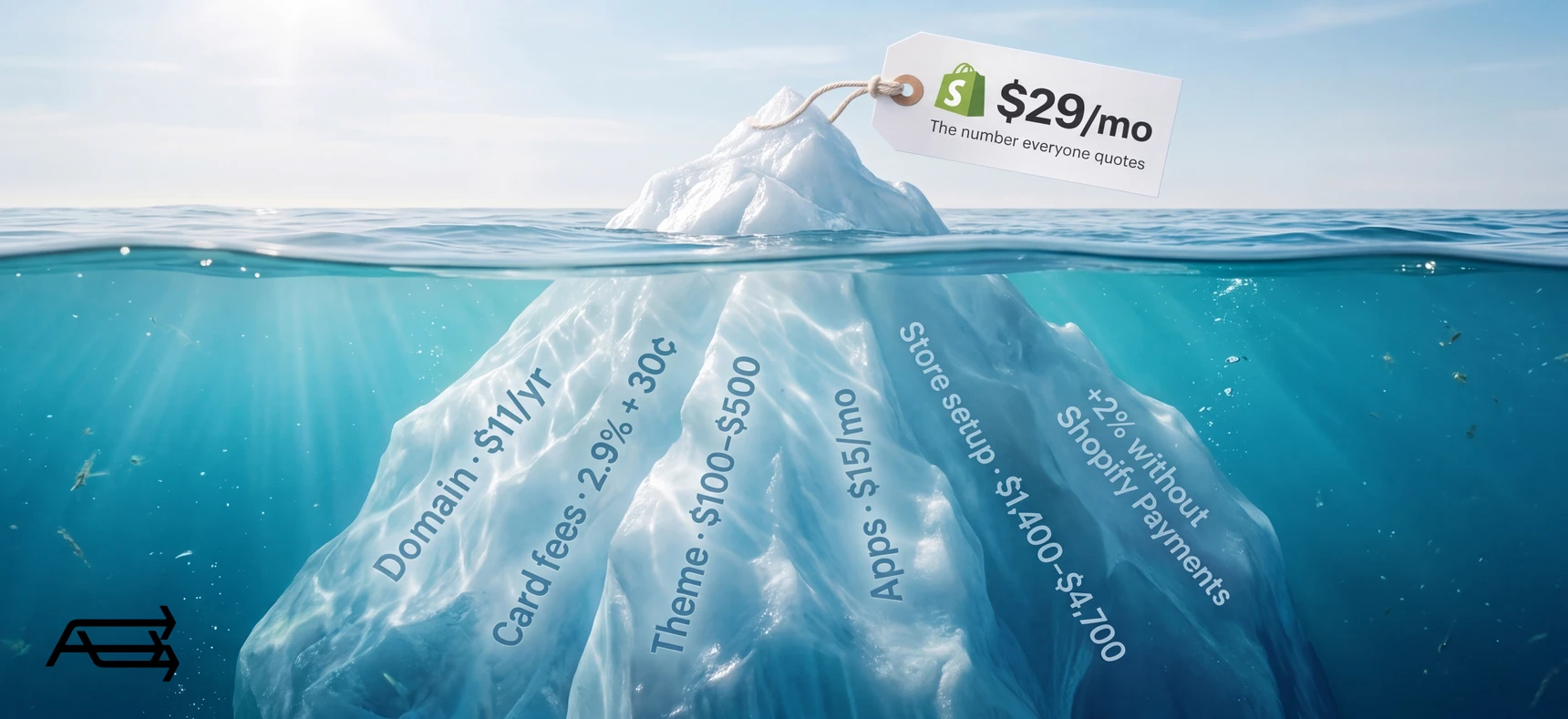
The plan price is the number everyone quotes, and it is the smallest line on the bill. A first year on Shopify is a plan, a domain, card fees on every order, probably a theme, probably two or three apps, and either money or evenings spent building the store. Below is the whole list in US dollars, with every published price taken from the seller's own page, every optional line marked as optional, and every figure that is our own estimate marked as an estimate.
In short
- You must pay for the plan ($29/mo billed yearly, $39 billed monthly), a domain (about $11 a year for a .com) and card processing (2.9% + 30¢ per online order on Basic).
- You'll probably pay for a theme ($0, or a one-off $100–$500), a reviews app ($0 or $15/mo), an email tool (free under 10,000 sends a month) and the build: your time or someone else's.
- The fee that surprises people: 2% of every order on the Basic plan if you don't use Shopify Payments, on top of what your payment provider already charges. It stops when you switch.
- Three worked budgets below: about $360 a year doing it all yourself, roughly $1,400–$4,700 for a good template set up properly, and $6,500–$25,000 for custom work, all before card fees.
All prices were checked on 24 September 2026 on the seller's own page, in USD, for a store based in the United States. Shopify shows local prices in other countries, so check your own currency before you plan.
How to use this
Give it twenty minutes and a blank sheet. Copy the summary table further down, delete the lines that don't apply, and put your own numbers in the ones that do. Two things separate a budget from a wish: keeping what you pay once apart from what you pay every month, and writing down the sales figure you're assuming, because card fees follow sales and nothing else does.
What you must pay
1. The Shopify plan
What it is. The subscription that keeps the store online. It includes hosting, an SSL certificate and a free myshopify.com address, so there's no separate hosting bill and "no setup fees on any of our plans".
What it costs. On Shopify's pricing page today: Basic $39 a month paying monthly, or $29 a month paying yearly. Grow is $105 or $79. Advanced is $399 or $299. Plus starts at $2,300. A new store gets 3 days free with no credit card, and then "most plans start at just $1 per month for the first 3 months".
How often. Every month, or once a year. Switching to yearly means the full annual amount is charged upfront, and the plan is pre-paid, so a change to a cheaper plan only takes effect at the end of the cycle.
Can you skip it? No. But almost every small store belongs on Basic. Shopify's own break-even estimates say that in the US, the UK and Ireland, moving up to Grow only starts paying for itself at around $200,000 of sales a year when you use Shopify Payments. Advanced sits at $1,320,000 for US stores. Year one is almost never there.
2. A domain
What it is. Your own address, instead of the myshopify.com one every store gets for free.
What it costs. It depends on the extension. A .com at Porkbun is $11.08 to register and $11.08 to renew, in USD, ICANN fee included. Buying through Shopify is also an option; Shopify doesn't publish a flat price because "the exact price depends on which TLD extension you choose".
How often. Once a year, charged separately from the plan.
Can you skip it? Technically yes: the store works on its myshopify.com address. In practice this is the cheapest line on the whole bill and the one customers see, so it's the wrong place to save $11.
3. Card processing on every order
What it is. The cut the payment processor takes from each sale. With Shopify Payments it's deducted from your payouts rather than added to your Shopify bill, which is why people forget it exists (Shopify Help).
What it costs. On Basic, 2.9% + 30¢ for a standard online card, 3.5% + 30¢ for a premium card, and 2.6% + 10¢ in person. Grow is 2.7% + 30¢ online, Advanced 2.5% + 30¢.
How often. Every order, for as long as you sell.
Can you skip it? No. You can only make it smaller, and only by selling enough to justify a bigger plan. Worth doing the sum once: at 500 orders averaging $60, that's $30,000 of sales and about $1,020 in card fees on Basic, roughly three times the annual plan.
4. The transaction fee if you don't use Shopify Payments
What it is. A separate Shopify fee charged when you take payments through a third-party provider instead of Shopify Payments. It is in addition to the processing fee that provider already charges you.
What it costs. By plan: 2% on Basic, 1% on Grow, 0.6% on Advanced, 0.2% on Plus (pricing page). Shopify calculates it over the whole order, as [(cost of products − discounts) + tax + shipping charges] × rate, and the fee is not returned to you when you refund an order.
How often. On every order that goes through the other provider, billed on your monthly Shopify bill.
Can you skip it? Usually yes. With Shopify Payments you aren't charged it on orders paid through Shopify Payments, Shop Pay, Shop Pay Installments, PayPal Express Checkout or manual methods such as bank transfer and cash on delivery. On the $30,000 example, 2% is $600 a year that simply stops. The catch: Shopify Payments has to be available in your country and support your business type. If it isn't, the fee is unavoidable and belongs in the budget from day one.
What you'll probably pay
5. A theme
What it is. The design your store runs on. Free themes are made by Shopify; paid ones come from theme makers and include a licence for one store.
What it costs. The Shopify Theme Store lists 24 free themes and 1,255 paid ones today. On the first page of results, paid themes run from $100 to $500: Allure $100, Sleek $350, Prestige $400, Impulse $500. It's a one-time charge, not a subscription.
How often. Once, per store.
Can you skip it? You can, with a free theme. The trade is the look and the features: free themes run on a great many stores, and a paid one buys built-in features and a design that isn't the default. Either kind sells only as well as it's set up, and themes are final sale and non-refundable, so choose against your catalogue, not the demo. Our article on free vs premium themes goes through what the money buys.
6. Apps
What it is. Add-ons for the jobs the platform doesn't cover: reviews, bundles, subscriptions, loyalty, page building.
What it costs. Reviews are the usual first one. Judge.me has a free plan at $0 and a single paid plan at $15 a month. Page builders are a common second: PageFly is free to start and $24 a month for its first paid tier. After that it depends entirely on your niche, so this is the line where budgets quietly double.
How often. Monthly, on your Shopify bill, until you uninstall them. And app charges keep running even while a store is paused.
Can you skip it? Most of them, most of the time. Reviews earn their place early. Everything else should wait until something in the store is actually broken without it.
7. Email, once the list grows
What it is. The tool that sends campaigns and automated messages: welcome, abandoned checkout, back in stock.
What it costs. Shopify's own email tool is usage-priced: every month you can send up to 10,000 emails free, then $1 per 1,000 additional emails. Klaviyo is free up to 250 profiles and 500 email sends a month, and prices its paid tiers with a calculator on that page, so the number depends on your list size rather than on a fixed plan.
How often. Monthly, and it grows with the list rather than with sales.
Can you skip it? In year one, often yes. A store sending a few campaigns a month to a small list stays inside the free allowances at either tool. Budget for it from the month the list passes a few thousand.
8. Product photos
What it is. The images on your product and collection pages, the part of the store that does most of the selling.
What it costs. This one has no published price, so treat what follows as our estimate, not a quoted rate: $0 if you shoot on a phone by a window with a plain background, and roughly $15–$60 per product for a small studio. Ranges vary widely by country and by product.
How often. Once per product, then again for each new product.
Can you skip it? You can skip paying for it. You cannot skip doing it. Phone photos taken carefully and cropped to one ratio look better than an expensive theme filled with inconsistent images.
9. Getting it built, or your own time
What it is. The work of turning a theme into your store: settings, structure, product pages, copy, checkout testing.
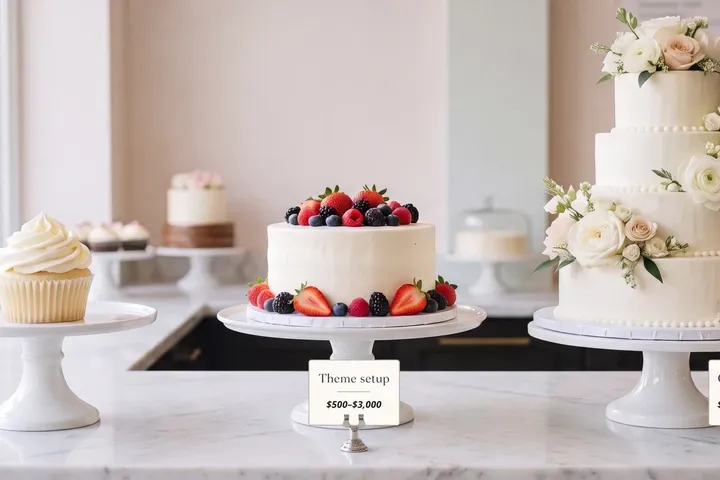
What it costs. Published prices don't exist here. Every figure below is our estimate, given as a range. A template set up properly by someone who does it often: roughly $500–$3,000. Custom design and development: roughly $5,000–$20,000 and up. Doing it yourself: our estimate is 20 to 40 hours for a first store on a free theme, with no cash cost.
How often. Once, at the start, and then again whenever you rebuild.
Can you skip it? Only by doing it yourself. Be honest about which evenings are actually free, and remember that anything unfinished at launch usually stays unfinished.
The first-year bill at a glance
| Line | One-off | Monthly | Skippable? |
|---|---|---|---|
| Shopify plan, Basic | $0 | $29 yearly, or $39 monthly | No |
| Domain (.com) | ~$11 a year | $0 | Not sensibly |
| Card processing, Basic | $0 | 2.9% + 30¢ per online order | No |
| Third-party transaction fee, Basic | $0 | 2% of order value | Yes, by using Shopify Payments |
| Theme | $0, or $100–$500 once | $0 | Yes |
| Reviews app | $0 | $0 or $15 | Yes |
| Email tool | $0 | $0 under 10,000 sends, then $1 per 1,000 | Mostly |
| One niche app | $0 | $0–$24 and up | Yes |
| Product photos | $0–$60 per product (estimate) | $0 | Not the work, only the cost |
| The build | $0–$20,000 (estimate) | $0 | Only by doing it yourself |
Three worked budgets
Each budget assumes the same first year of trading so the lines can be compared: 500 orders averaging $60, which is $30,000 of sales and about $1,020 in card fees on Basic with Shopify Payments. That sales figure is an assumption for the arithmetic, not a forecast.
Budget A: doing it all yourself
| Free theme | $0 |
| Domain, .com | $11 |
| Plan, Basic billed yearly | $348 |
| Reviews (Judge.me free) and email (under 10,000 sends) | $0 |
| First-year total, before card fees | about $359 |
| With card fees at $30,000 of sales | about $1,379 |
The cost that doesn't appear on the bill is 20 to 40 hours of your time, most of them evenings (our estimate).
Budget B: a good template, set up properly
| Paid theme | $350 |
| Domain, .com | $11 |
| Build (our estimate) | $500–$3,000 |
| Photos (our estimate) | $0–$500 |
| Plan, Basic billed yearly | $348 |
| Reviews app at $15/mo | $180 |
| One niche app at $24/mo, optional | $0–$288 |
| First-year total, before card fees | about $1,390–$4,680 |
| With card fees at $30,000 of sales | about $2,410–$5,700 |
Budget C: custom built
| Custom design and development (our estimate) | $5,000–$20,000 |
| Domain, .com | $11 |
| Photos (our estimate) | $500–$2,000 |
| Plan, Basic or Grow billed yearly | $348–$948 |
| Apps, $50–$150 a month (our estimate) | $600–$1,800 |
| First-year total, before card fees | about $6,460–$24,760 |
| With card fees at $30,000 of sales | about $7,480–$25,780 |
At $30,000 of sales, Budget C spends more on the build than the store makes in gross margin. That isn't an argument against custom work, only against doing it before the sales exist to pay for it.
Decision rule: what's your real runway?
Take your one-off costs, add twelve months of the monthly ones, then add card fees at the sales you expect:
one-off + (12 × monthly) + (2.9% of expected sales + 30¢ per order)
If your budget covers the first number but not the whole line, it isn't a budget yet. It's a launch. Stores rarely close because the build was too cheap. They close in month eight, when the plan, four apps and a renewal all land with no sales behind them. Cut the one-off until twelve months fit inside what you have, and keep something aside for stock and ads, which aren't on this page at all.
When spending more won't help
A $500 theme does not create demand. Nor do twelve apps, nor a custom build. Each can make existing demand convert a little better; none makes a stranger want the product.
If your store has visitors and no orders, the answer is usually the product, the price, the shipping cost or the photos, not the design budget. If it has no visitors, nothing on this page helps until that changes: traffic is a budget line of its own, and it's work we do too, in our SEO and paid media work.
Six steps to keep year one on budget
- Build during the cheap months. Three days free, then $1 a month for three months, is enough time to get products, pages and checkout done before the standard price starts.
- Put the money into the setup. A theme finished properly, free or paid, outsells one left half-configured, and twelve apps don't rescue a store nobody finished.
- Buy the domain at a registrar's published price and turn auto-renew on. It is the one line you cannot afford to let lapse.
- Turn on Shopify Payments if your country is supported. On Basic that removes a 2% fee from every order, which on $30,000 of sales is $600 a year.
- Add apps one at a time, with a review date. Keep a list of every recurring charge and what it is for. Anything you can't explain in one sentence gets uninstalled.
- Choose your billing cycle in month four, once you know you're staying. The annual rate is lower, but it's charged upfront, and Shopify plans are generally non-refundable.
Do it yourself, or hand it to us?
What the build takes on your own. Our estimate is 20 to 40 hours for a first store on a free theme: learning the editor, setting up the structure, writing product pages, configuring payments, shipping and taxes, and testing the checkout. On a first store, most of those hours go on learning, and anything unfinished at launch usually stays unfinished. The cost of a build is easy to see. The cost of a store that takes four months to go live is not.
What we do. We build the store on a theme chosen for your catalogue, with your products, pages, payments and shipping set up and the checkout tested, at a fixed price agreed before we start. You get on with the product and the launch, and the build takes us days. That's our Store Design & Theme Development work.
Questions people ask before they start
Is the free trial enough to test Shopify properly?
The trial is 3 days with no credit card, which is enough to look around and not much more. The part that matters is what follows: most plans are $1 a month for the first three months (Shopify), so the real trial is about 90 days for around $3. Use it to load real products and place test orders, not to browse themes.
Should I pay monthly or annually?
Monthly, until you're sure. The yearly rate is lower ($29 against $39 a month on Basic), but the full year is charged upfront and plans are generally non-refundable; Shopify reviews annual refund requests case by case within 30 days of the invoice. Switching from yearly back to monthly only takes effect at the end of the annual cycle. Month four, once the store is trading, is a better moment for that decision than week one.
Is a paid theme worth it?
Often: when the look of the store is part of what you sell, or when its built-in features replace apps you'd pay for every month. Paid themes run $100–$500 once, and buy layout options and sections that save build time. They don't buy taste, photos or copy, and they're final sale, so choose against your catalogue and the features you need, not the demo.
How many apps does a small store need?
Usually one or two in year one: reviews, and email if the free allowances run out. Every app is a monthly charge that outlives the reason you installed it, and app charges continue even when a store is paused. Before installing anything, write down what it should change and when you'll check.
What happens if I pause or close the store?
Shopify's Pause and Build plan keeps the store visible and your admin usable at a reduced cost, with checkout switched off across all sales channels; the amount appears in your admin, not on that page. Two things catch people: app subscriptions keep charging while you're paused, and a third-party domain keeps renewing unless you turn auto-renew off. If you deactivate instead, your store's information is kept for two years in case you reopen, and account credits expire after 60 days.
What does it cost to have a store built?
No one publishes a price for this, so treat any number you read, including ours, as an estimate. As a market range, setting up a well-chosen template with real products lands around $500–$3,000, and custom design and development around $5,000–$20,000 and up. What moves the number is catalogue size, how many templates are custom, whether content and photos exist, and how much data has to be migrated.
Want the build line priced for your catalogue?
Send us what you sell and how many products you have. We reply within one business day with the build line priced for your catalogue, as a fixed price.